← Back to BlogCreation of
Let's Code: Learning New Assembly Services (Dynamic Grid)
Eric Padua·
I recently decided to really learn the Dynamic Grid component inside and out. Since it's fresh in my mind, I thought it would be a good opportunity to give some insight on how I learn new things in OneStream, especially in the absence of really good detailed documentation or boilerplate code.
The Dynamic Grid isn't something that I really dove into very deeply before, as I didn't really need to use it much other than knowing its capabilities in case of needing to implement it for something. Also, this isn't really a holistic view of the component or anything; it's just my take on it. So, if I miss anything, feel free to comment somewhere (whether here or on LinkedIn).
The Setup
Really, at the end of the day, all I want to do is use this component as the input/output interface, similar to the Calculation Register setup, but instead of a table view, I'll be using this dynamic grid.
The Dynamic Grid is basically just a SQL Table Editor, but it seems like it's far more parameter-friendly if you need dropdowns for value validation (at least from what I can tell from perusing the relevant objects). What this means is the actual user experience (and look and feel) is essentially that of a SQL Table Editor.
I really wish we could style it a bit more other than just color highlighting for the cells. But I guess to that end, all I would really want is maybe font sizing at the bare minimum—at least then we could fit more columns into the screen without any scrolling.
I slightly digress though, so let's get on with it.
The Approach
(The following can be found in the OneStream Design and Reference Guide)
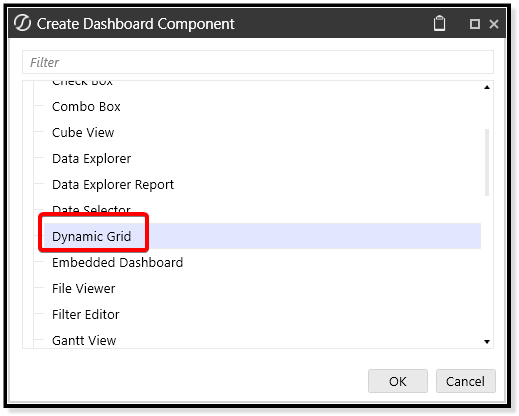
Create a dynamic grid component:
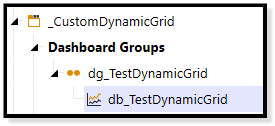
Attach it to its own dashboard within its own maintenance unit:
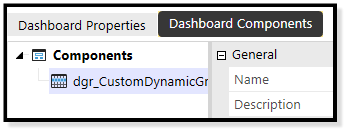
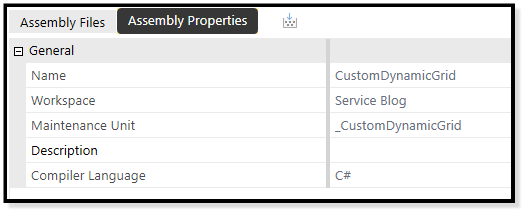
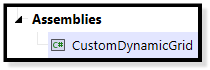
Give it its own assembly:
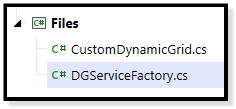
Create its own service factory as well as a dynamic grid service file:
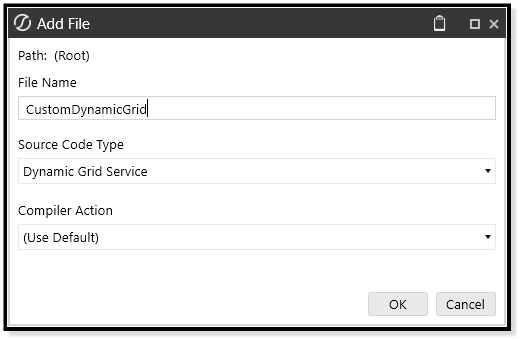
And finally, add the service factory kick-off to the maintenance unit itself (will show this later).
Oddly enough, it seems like you can only have one dynamic grid per maintenance unit. At least that's what you can intuit from the directions in the Design and Reference guide. Feel free to put me in my place on this one.
Update: It seems you can only have one service per maintenance unit, but you can create multiple dynamic grid components and handle content through the args.Component.Name string.
Setting Up The Assembly
For now, we'll focus on the dynamic grid service file before we set up the service factory. Upon creation of a Dynamic Grid service file, we're greeted with this blank canvas:
...and we're presented with some comments inside methods: "Insert logic here to retrieve/save data"— intriguing, I wonder what they meant by this, and further, how do we start?
It even returns nulls. Neat.
Sarcasm aside — in C# each of these methods returns a specific XF object.
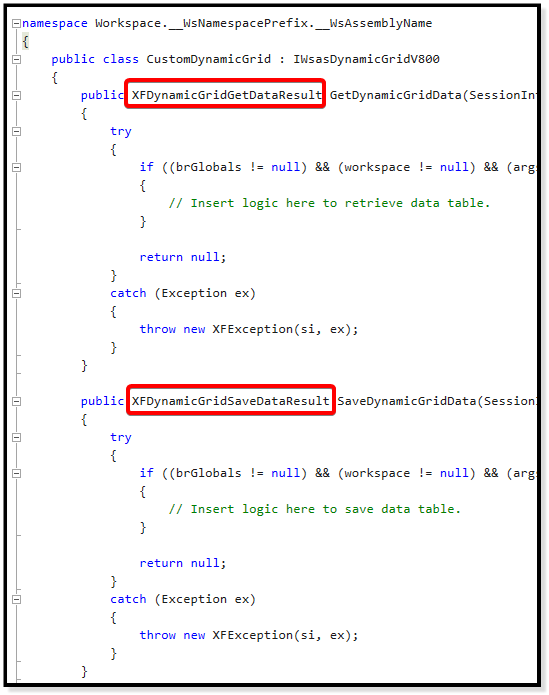
I know exactly what to do here. So intuitive.
So it seems we need to return these separate objects for either section (instead of the null).
Getting Data into The Dynamic Grid
For the
GetDynamicGridData method that OneStream has provided us with, we're going to need to figure out how to create this XFDynamicGridGetDataResult object and configure it so that it returns data to your Dynamic Grid component.Let's see what's inside:
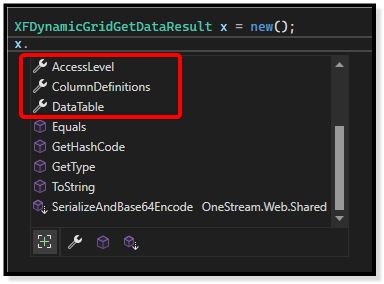
Looks like there are these properties within
XFDynamicGridGetDataResult that we need to pay attention to:AccessLevelColumnDefinitionsDataTable
If we highlight over each one, you can see the type of object that needs to be set for this property, so we'll explore these new things as soon as we create a new
XFDynamicGridGetDataResult object.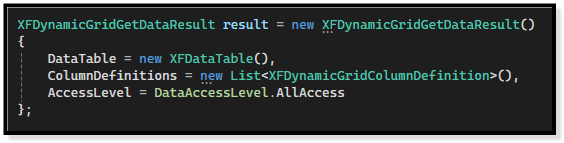
Now let's set the properties one-by-one, simultaneously trying to understand what they are.
For
AccessLevel:A
DataAccessLevel needs to be set, but what the heck is that? Looks like it's some kind of pre-determined list of integers that have names attached for what kind of rights are available for the table: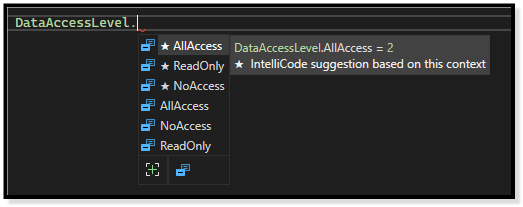
Let's just set it to all access and leave it alone. Note you can just put the raw integer here too (though at the risk of me looking at you weird, use those pre-determined lists whenever you can for readability).
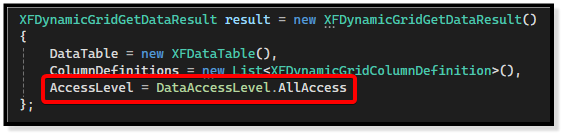
For
ColumnDefinitions:Looks like it takes a list of
XFDynamicGridColumnDefinition objects. Let's see what those are: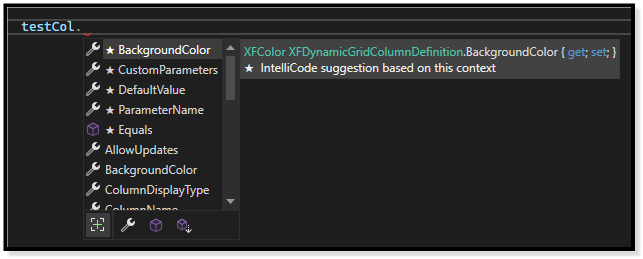
Seems like it's just a bunch of settings for each column to customize the behavior of each one (i.e., you can allow updates on a column if you want to allow the user to write to it).
I bet we can just leave this blank/null/empty and it'll have some defaults that will get applied, so let's plan to just pass a null in here and see what happens.
Actually, let's ask cursor's agent instead just to have another layer of confidence:
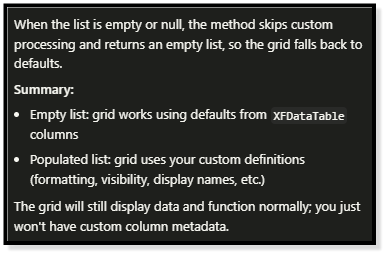
Looks like it's fine. Let's just hope that's true and figure it out later if it doesn't work.
Creation of XFDataTable
For
DataTable:This one takes an
XFDataTable. Let's see what it looks like inside. On the surface, it seems to be a custom OneStream data-table-like object. I wonder if you can create one of these things from a regular data table.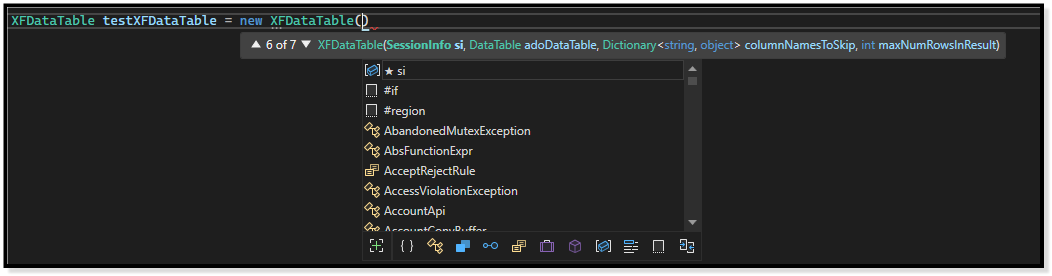
Heck yeah, you can. Let's see what other things it needs for this one specific constructor. We will need:
- A
SessionInfo - A
Dictionary<string, object>of columns to skip - And an Integer of how many rows we can have in the result
The first one is pretty self-explanatory (the SessionInfo).
The second is a bit weird; why can't we just pass a list of strings? Let's ask cursor:
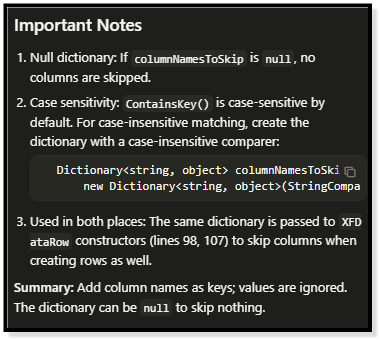
Seems like you can just pass a null here too if you don't want to skip any columns. But if you did, you would just need the keys as the column names you need to skip. Odd that you would need a dictionary for this though, there might be some performance reason that I'm missing.
The third one looks like it's just a hardcoded integer of how many row results can be shown for the
XFDataTable. Let's ask cursor if I can just pass a -1 for unlimited rows.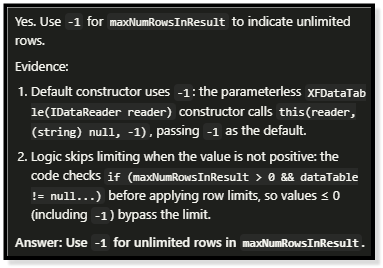
Yessir, but let's put 100. (Spoilers: I'm going to just return the Member database table). We'll assume cursor is telling the truth on this one too then just come back to it if it's a problem.
Setting up the Service Factory
Pretty easy to do, just return the class that we created for the Dynamic Grid Service:
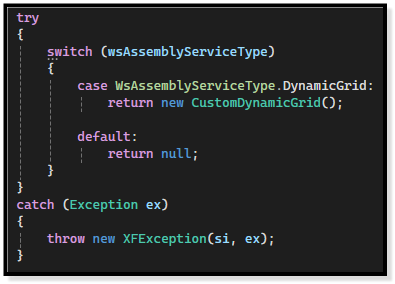
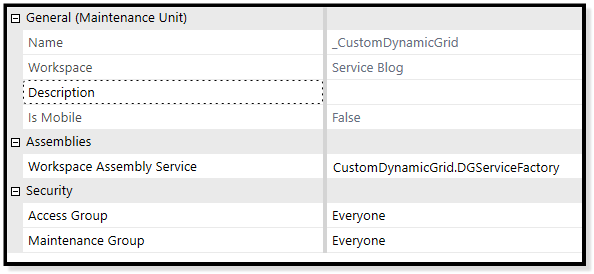
You'll also have to set the service factory on the maintenance unit itself (this is how we connect your Dynamic Grid component to our Dynamic Grid service file and also what I was referring to about having only one Dynamic Grid per maintenance unit):
Creating the Data Table And Putting It All Together
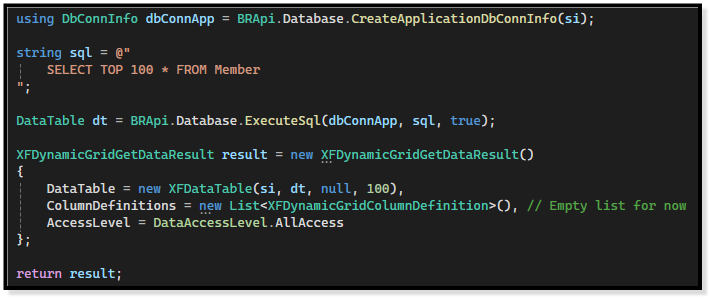
I'm just going to grab the Member database table through a regular SQL pull.
C# has this cool syntax where you don't have to wrap everything in a
using statement; you can just declare it once, and it assumes it'll be used for the rest of the method until it's done doing its thing.Now that we have everything we need, let's create the object and run the component.
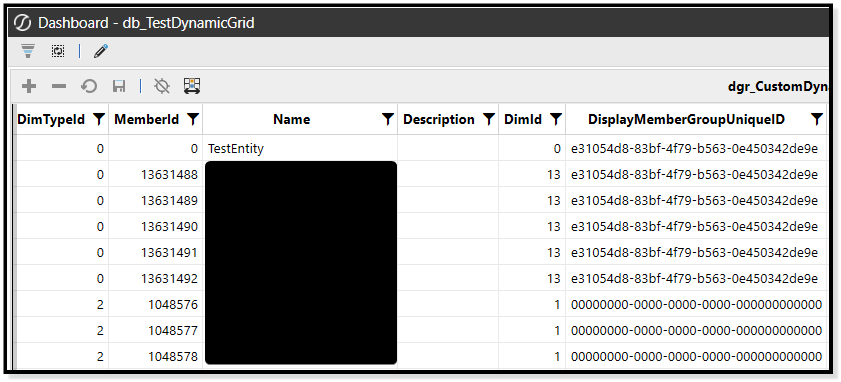
Super secret content, sorry.
Looks like the cursor responses were accurate, at least on the surface. But at least we have data in the table now.
Fun, right?
Saving Data
So, for that other
XFDynamicGridSaveDataResult object, I'm going to skip the exercise of exploring the entire object.I found out we can just use
BRApi.Database.SaveDataTableRows to handle all inserts, updates, and deletes and then return an empty XFDynamicGridSaveDataResult object to handle the saving of any columns that we set to AllowUpdates.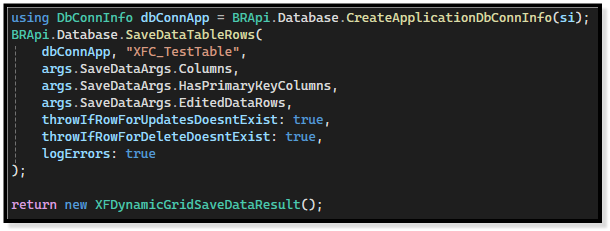
We didn't create a list of
XFDynamicGridColumnDefinition objects to feed into the construction of the XFDynamicGridGetDataResult, but I'll leave that as an exercise for y'all to do (if anyone is actually seriously following along).Conclusion
But there you have it, a working Dynamic Grid (complete with saving data as a hand-wavy exercise). I still need to go through some understanding of how pages work, it doesn't seem like (at least for the setup in this blog) the data paginates properly by just feeding one large SQL statement into the component. It seems like you might have to do the offset and fetch manually. I may leave that for another blog.
In any case, many don't really have a mentor to walk you through this process, so I thought I'd give a look into the inner-workings of how I do things (this service basically comes free when you do work with me wink wink).
Anyway, happy coding, once again, until next time.