← Back to Blog
You Should Be Using Genesis
Eric Padua·
If you're working with OneStream version 9+, you've probably heard about Genesis, which launched a few months ago. I'll admit, I was a little hesitant to dive in at first. I tend to be pretty neutral about OneStream-backed solutions, as they often come with... let's call them "interesting implementation quirks" or significant counter-intuitive nuances. As a OneStream developer, you just accept this, learn the quirks, and move on.
Genesis, however, is a different story.
It's a super intuitive way to get the front-end of literally anything you want to build up and running in minutes. It saves you so much time you'd otherwise spend tinkering with dashboards. I'm not just saying that, either. I'm currently implementing an entire forecast solution from scratch using Genesis, and I estimate it has cut my implementation time by at least 50%.
Why? Because I can focus almost entirely on the backend and leave the frontend setup to Genesis.
Why Genesis?
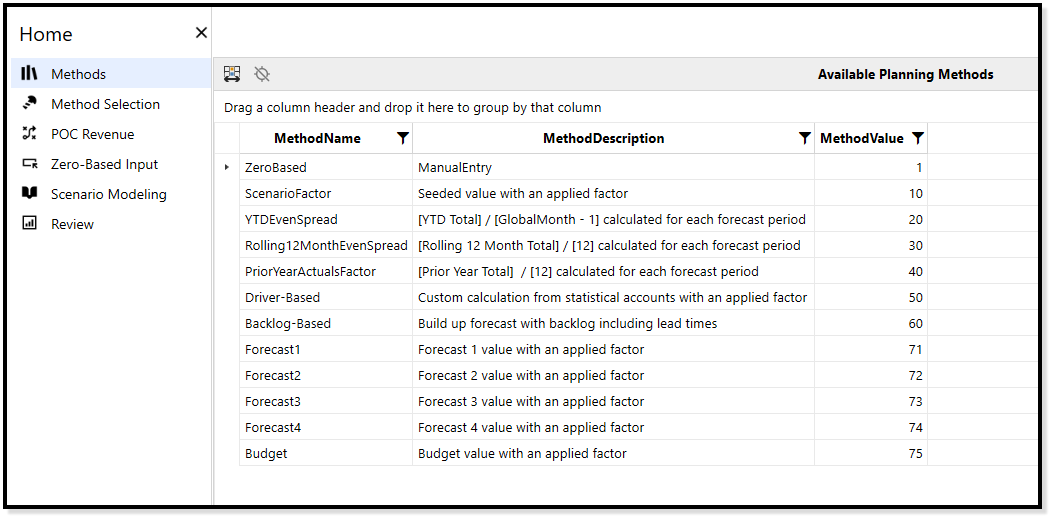
One of the biggest wins is that Genesis gives the client a robust navigation system that looks and feels just like what they see in sales calls. This avoids that jarring tonal whiplash of, "Hey, I know you saw that cool thing in the sales demo, but in reality, this other look and feel is what you actually get" when build starts to happen.
This point alone makes Genesis worth it for consulting partners. Having experienced that disconnect is not pleasant (as someone receiving OneStream as a solution), and watching it happen to others has rubbed me the wrong way for years. Genesis solves this, and it even comes with its own standardized library of buttons, so no more hunting and pecking for the right images to use.
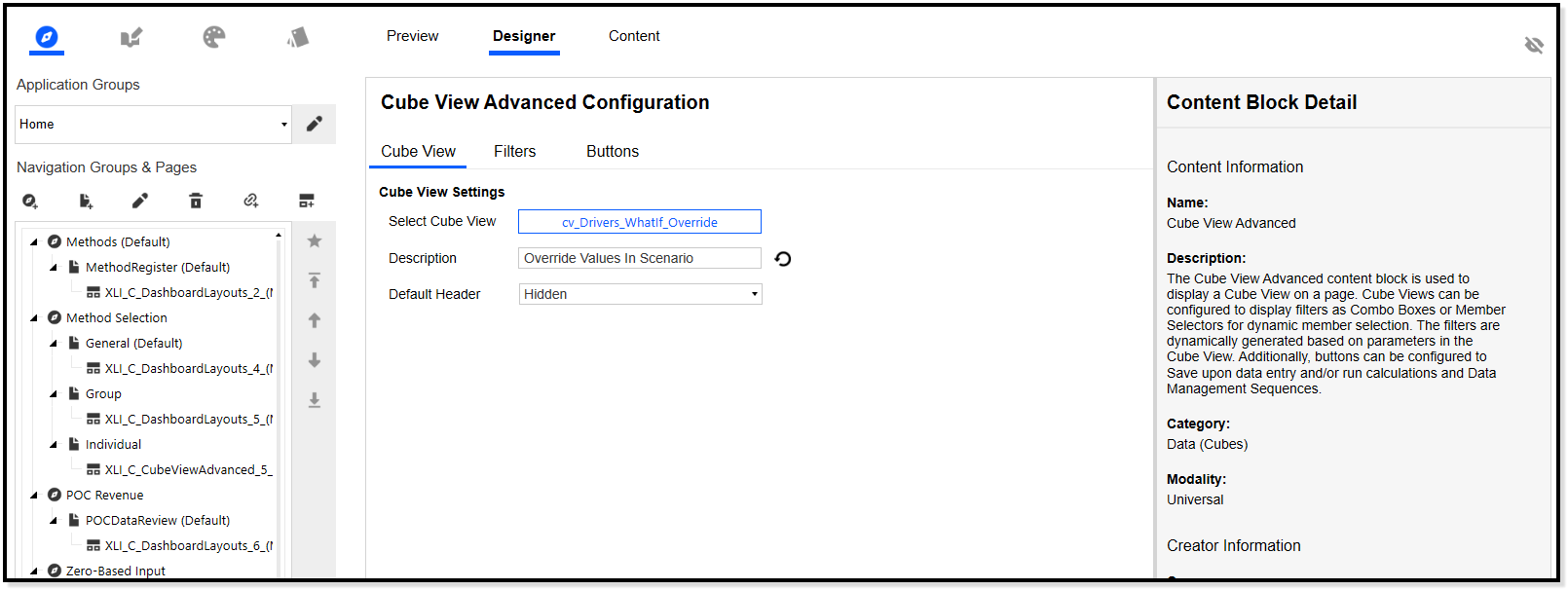
Genesis also gives you a way to prototype things fast without any hiccups.
- Something doesn't look the way you thought it would? No problem, just swap it out.
- That still doesn't look good? Swap it out again.
- Repeat ad infinitum.
This flexibility is incredibly valuable. I can't tell you how many times I've had a clear vision for a dashboard, only to have some technical quirk prevent me from doing what I wanted. I'd either have to pivot or compromise, locked in by whatever technical design I'd signed myself up for. Genesis avoids that trap.
You can also take previously made content (or any new content made using the usual dashboard methods) and link it to Genesis layouts. This gives your already-created dashboards the polished Genesis aesthetic. Your mileage may vary on this one, of course, as it really depends on how complex your existing dashboards are. I imagine parameter conflicts could arise.
Some Technical Notes
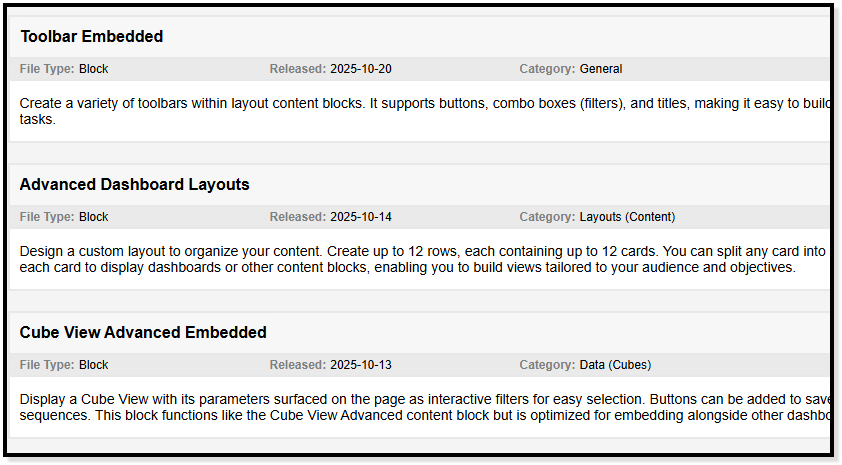
Genesis is built on modular components maintained by OneStream that can be popped in and out of dashboards with minimal development effort.
In most cases, changing something in a traditional dashboard becomes an exercise in understanding dashboard structure, component structure, and so on. With Genesis, it's often just a delete button and a link button away from seeing the new component in action.
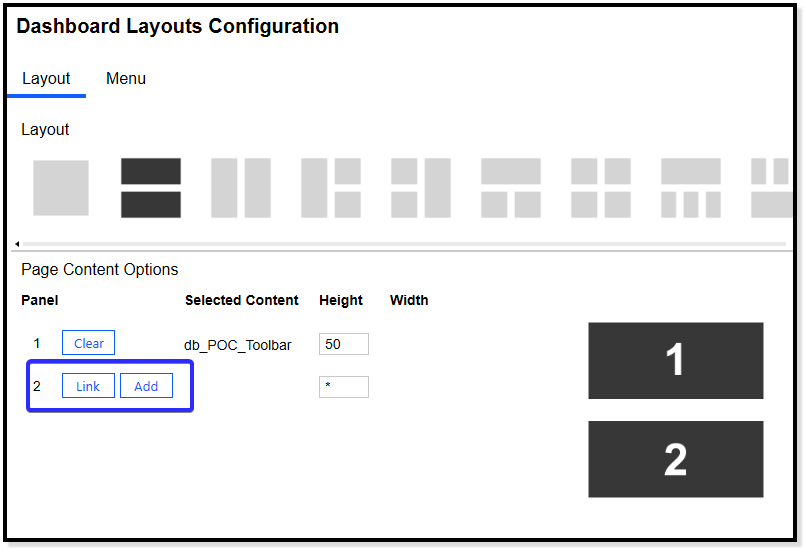
Releasing and maintaining these components is going to be a monumental task for OneStream going forward—I do not envy them on this front. But what this means for consulting partners and clients is that if something very specific to Genesis is broken, OneStream now has the responsibility to fix it ASAP (at least, I hope that's their stance). The entire onus is on OneStream for this front-end piece. Previously, if something was broken, the implementors were on the hook for fixing their own cobbled-together system. This new environment means OneStream needs to make absolutely sure all these components work nicely.
Genesis also has the ability to import and export instances on the fly and move them between environments. This is mostly a painless exercise of clicking "backup" and saving that file. Restoring the instance in another environment is as simple as creating an instance with the same name, dropping the file in a specific location, and restoring it from the Genesis designer. This is also great for actively backing up your work as you build.
Room for Improvement
The general concept for Genesis is great, and it has saved me a ton of time, but there are definitely some quirks that bug me:
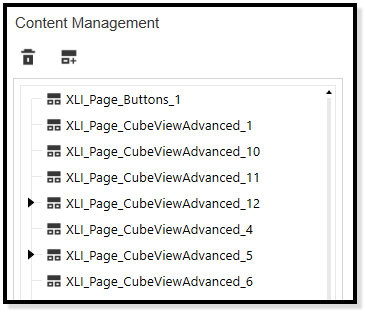
- You can't rename modular components. You'll end up with a bunch of generically labeled components that you just have to remember and type in… XLI_Page_CubeViewAdvanced_11.
- There's no easy way to rename instances because the entire Genesis framework is an integrated system behind encrypted code. Just changing the name manually breaks things in the backend.
- In every case I've seen, you have to type in component names for code/function kickoffs or dashboard refreshes; you can't just pick from a list of available components. This is especially annoying given the "not able to rename components" problem I just mentioned.
- Button functionality is missing some of the advanced features you usually have access to on normal components. I was trying to create a standard upload button (upload a CSV, put that CSV into a register) and there's no way to do it through the current Genesis components, least from what I can tell. I had to create my own dashboard and link it.
My Final Take
All-in-all, any bad that has come out of my experience with Genesis is massively overshadowed by how fast I can create frontends.
I cannot stress enough how much I don't have to worry about the frontend with the implementation I'm doing right now. It has saved me so much of the frustration I've had previously in making frontend experiences for clients, and the standard look is just so visually appealing for such little effort.
My passion is in OneStream backend development, so being able to leverage Genesis to get rid of my frontend woes has been amazing so far.
If you implement experiences in OneStream and you're on V9 or higher, you should be using Genesis.